Tricky = Difficile
Voici un exercice pour évaluer les points à apprendre, vos connaissances actuelles. Cela permettra de définir un plan de ce qui doit être appris.
Vous avez 1 heure : c’est le temps qu’un débutant en informatique devrait mettre.
Ne pas oublier, ce n’est pas grave de ne pas savoir le faire 🙂 C’est le but de voir la limite et les difficultés que vous rencontrez.
Tricky 3 (3ème année)
Créer un formulaire avec typeform.com
Formulaire :
- Nom
- Prénom
- email
- site web
- Choix
    - Etudiant
    - professeur
    - parent

- Si Etudiant
    - Demander une blague qu'il aime

- Si professeur
    - Afficher une blague

- Si parent
    - Afficher 'J'adore l'informatique'
Mettre un message de fin
Actions :
- envoyer un email qui contient les réponses à pascal (at) similon.com
- ajouter les réponses dans un google sheet
Tricky 4 (4ème année)
- Installer un serveur sur votre machine (docker desktop)
Via cet url : https://docs.docker.com/desktop/setup/install/windows-install/ - Installer nodered sur votre machine (nodejs)
Trouver dans le repository de docker via desktop desktop l’installation d’un serveur nodered - Vérifier l’installation de nodered
- Copier le script ci contre
[
    {
        "id": "18522debce4b18c2",
        "type": "http in",
        "z": "f5d9a1e38022e2b7",
        "name": "",
        "url": "/arfd/test",
        "method": "get",
        "upload": false,
        "swaggerDoc": "",
        "x": 210,
        "y": 200,
        "wires": [
            [
                "60ec3ae2e0f0414c",
                "acea167e9cebb30c"
            ]
        ]
    },
    {
        "id": "7e2f86cff7f9a6ef",
        "type": "http response",
        "z": "f5d9a1e38022e2b7",
        "name": "",
        "statusCode": "",
        "headers": {},
        "x": 710,
        "y": 200,
        "wires": []
    },
    {
        "id": "60ec3ae2e0f0414c",
        "type": "template",
        "z": "f5d9a1e38022e2b7",
        "name": "",
        "field": "payload",
        "fieldType": "msg",
        "format": "handlebars",
        "syntax": "mustache",
        "template": "<!DOCTYPE html>\n<html lang=\"fr\">\n<head>\n    <meta charset=\"UTF-8\">\n    <meta name=\"viewport\" content=\"width=device-width, initial-scale=1.0\">\n    <title>Landing Page</title>\n    <style>\n        * {\n            margin: 0;\n            padding: 0;\n            box-sizing: border-box;\n        }\n\n        body {\n            font-family: -apple-system, BlinkMacSystemFont, 'Segoe UI', Roboto, sans-serif;\n            height: 100vh;\n            overflow: hidden;\n            background: linear-gradient(-45deg, #667eea, #764ba2, #f093fb, #f5576c);\n            background-size: 400% 400%;\n            animation: gradientShift 15s ease infinite;\n            display: flex;\n            align-items: center;\n            justify-content: center;\n        }\n\n        @keyframes gradientShift {\n            0% { background-position: 0% 50%; }\n            50% { background-position: 100% 50%; }\n            100% { background-position: 0% 50%; }\n        }\n\n        .container {\n            text-align: center;\n            z-index: 2;\n            position: relative;\n        }\n\n        .main-title {\n            font-size: clamp(3rem, 8vw, 8rem);\n            font-weight: 900;\n            color: white;\n            text-shadow: 0 20px 40px rgba(0,0,0,0.3);\n            margin-bottom: 2rem;\n            letter-spacing: -2px;\n            line-height: 0.9;\n            animation: titleFloat 6s ease-in-out infinite;\n            background: linear-gradient(45deg, #ffffff, #f0f0f0, #ffffff);\n            background-size: 200% 200%;\n            -webkit-background-clip: text;\n            background-clip: text;\n            -webkit-text-fill-color: transparent;\n            animation: titleFloat 6s ease-in-out infinite, shimmer 3s linear infinite;\n        }\n\n        @keyframes titleFloat {\n            0%, 100% { transform: translateY(0px); }\n            50% { transform: translateY(-20px); }\n        }\n\n        @keyframes shimmer {\n            0% { background-position: 200% 0; }\n            100% { background-position: -200% 0; }\n        }\n\n        .subtitle {\n            font-size: clamp(1.2rem, 3vw, 2rem);\n            color: rgba(255,255,255,0.9);\n            font-weight: 300;\n            margin-bottom: 3rem;\n            animation: fadeInUp 1s ease-out 0.5s both;\n        }\n\n        @keyframes fadeInUp {\n            from {\n                opacity: 0;\n                transform: translateY(30px);\n            }\n            to {\n                opacity: 1;\n                transform: translateY(0);\n            }\n        }\n\n        .cta-button {\n            display: inline-block;\n            padding: 18px 40px;\n            background: rgba(255,255,255,0.2);\n            backdrop-filter: blur(10px);\n            border: 2px solid rgba(255,255,255,0.3);\n            color: white;\n            text-decoration: none;\n            font-size: 1.1rem;\n            font-weight: 600;\n            border-radius: 50px;\n            transition: all 0.3s ease;\n            animation: fadeInUp 1s ease-out 1s both;\n            text-transform: uppercase;\n            letter-spacing: 1px;\n        }\n\n        .cta-button:hover {\n            background: rgba(255,255,255,0.3);\n            transform: translateY(-5px);\n            box-shadow: 0 20px 40px rgba(0,0,0,0.2);\n            border-color: rgba(255,255,255,0.5);\n        }\n\n        .particles {\n            position: absolute;\n            top: 0;\n            left: 0;\n            width: 100%;\n            height: 100%;\n            overflow: hidden;\n            z-index: 1;\n        }\n\n        .particle {\n            position: absolute;\n            background: rgba(255,255,255,0.1);\n            border-radius: 50%;\n            animation: float 20s infinite linear;\n        }\n\n        @keyframes float {\n            0% {\n                transform: translateY(100vh) rotate(0deg);\n                opacity: 0;\n            }\n            10% {\n                opacity: 1;\n            }\n            90% {\n                opacity: 1;\n            }\n            100% {\n                transform: translateY(-100vh) rotate(360deg);\n                opacity: 0;\n            }\n        }\n\n        .scroll-indicator {\n            position: absolute;\n            bottom: 30px;\n            left: 50%;\n            transform: translateX(-50%);\n            color: rgba(255,255,255,0.7);\n            animation: bounce 2s infinite;\n        }\n\n        @keyframes bounce {\n            0%, 20%, 50%, 80%, 100% {\n                transform: translateX(-50%) translateY(0);\n            }\n            40% {\n                transform: translateX(-50%) translateY(-10px);\n            }\n            60% {\n                transform: translateX(-50%) translateY(-5px);\n            }\n        }\n\n        @media (max-width: 768px) {\n            .main-title {\n                font-size: clamp(2.5rem, 12vw, 6rem);\n            }\n            .subtitle {\n                font-size: clamp(1rem, 4vw, 1.5rem);\n            }\n        }\n    </style>\n</head>\n<body>\n    <div class=\"particles\"></div>\n    \n    <div class=\"container\">\n        <h1 class=\"main-title\">BIENVENUE</h1>\n        <p class=\"subtitle\">{{payload.msg}}</p>\n        <a href=\"#\" class=\"cta-button\">Commencer</a>\n    </div>\n\n    <div class=\"scroll-indicator\">\n        <svg width=\"24\" height=\"24\" viewBox=\"0 0 24 24\" fill=\"none\" stroke=\"currentColor\" stroke-width=\"2\">\n            <path d=\"M7 13l3 3 7-7\"></path>\n            <path d=\"M12 3v18\"></path>\n        </svg>\n    </div>\n\n    <script>\n        // Génération de particules flottantes\n        function createParticle() {\n            const particle = document.createElement('div');\n            particle.className = 'particle';\n            \n            const size = Math.random() * 6 + 2;\n            particle.style.width = size + 'px';\n            particle.style.height = size + 'px';\n            particle.style.left = Math.random() * 100 + '%';\n            particle.style.animationDuration = (Math.random() * 20 + 10) + 's';\n            particle.style.animationDelay = Math.random() * 5 + 's';\n            \n            document.querySelector('.particles').appendChild(particle);\n            \n            // Supprime la particule après l'animation\n            setTimeout(() => {\n                particle.remove();\n            }, 25000);\n        }\n\n        // Crée des particules régulièrement\n        setInterval(createParticle, 300);\n\n        // Animation du bouton au survol\n        const button = document.querySelector('.cta-button');\n        button.addEventListener('mouseover', () => {\n            button.style.transform = 'translateY(-5px) scale(1.05)';\n        });\n        \n        button.addEventListener('mouseout', () => {\n            button.style.transform = 'translateY(0) scale(1)';\n        });\n\n        // Effet de parallaxe au mouvement de la souris\n        document.addEventListener('mousemove', (e) => {\n            const mouseX = e.clientX / window.innerWidth;\n            const mouseY = e.clientY / window.innerHeight;\n            \n            const title = document.querySelector('.main-title');\n            const subtitle = document.querySelector('.subtitle');\n            \n            title.style.transform = `translate(${mouseX * 10 - 5}px, ${mouseY * 10 - 5}px)`;\n            subtitle.style.transform = `translate(${mouseX * 5 - 2.5}px, ${mouseY * 5 - 2.5}px)`;\n        });\n    </script>\n</body>\n</html>",
        "output": "str",
        "x": 560,
        "y": 200,
        "wires": [
            [
                "7e2f86cff7f9a6ef"
            ]
        ]
    },
    {
        "id": "acea167e9cebb30c",
        "type": "debug",
        "z": "f5d9a1e38022e2b7",
        "name": "debug 28",
        "active": true,
        "tosidebar": true,
        "console": false,
        "tostatus": false,
        "complete": "false",
        "statusVal": "",
        "statusType": "auto",
        "x": 400,
        "y": 280,
        "wires": []
    },
    {
        "id": "45eec00e8016e602",
        "type": "function",
        "z": "f5d9a1e38022e2b7",
        "name": "function 41",
        "func": "\nmsg.myRequest = msg.payload ;\nmsg.myRequest.status = \"nok\" ;\n\na = 1 ;\n\nif( msg.myRequest.msg > \"\" ) {\n    msg.myRequest.status = \"Ok\" ;\n    msg.myRequest.msg = msg.myRequest.msg.touppercase() ;\n}\n\na += 1 ;\n\nreturn msg;",
        "outputs": 1,
        "timeout": 0,
        "noerr": 2,
        "initialize": "",
        "finalize": "",
        "libs": [],
        "x": 390,
        "y": 200,
        "wires": [
            []
        ]
    }
]
- Identifier le(s) problèmes de script
- tester http://127.0.0.1:1880/arfd/test?msg=coucou (pourquoi est-ce en majuscule ?)
Tricky 5 (5ème)
- Faire Tricky 4
- Améliorer l’application pour enregistrer chaque appel dans google sheet
Comment sauvegarder les données ? (envoyer un email)
Tricky 6 (6ème) – 2 heures
- Faire le tricky 5
- Créer une applicaiton « hello world » en reactnative (Il faut 1 heure en plus)
Doc de microsoft : https://learn.microsoft.com/fr-fr/windows/dev-environment/javascript/react-native-for-android
Tricky X : Projet pour celui qui a réussi tous les autres 😉
Installer un serveur (pas docker desktop) pour faire tourner un serveur nodered + tricky 5
Redémarrer le serveur et vérifier que cela fonctionne toujours sans rien toucher au serveur.
Ce que cela nous apprend

Système d’exploitation
Quel système d’exploitation je peux utiliser ? quelles spécifications? je dois avoir les droits admin quand je suis un développeur !
Conteneur applicatif (Docker)
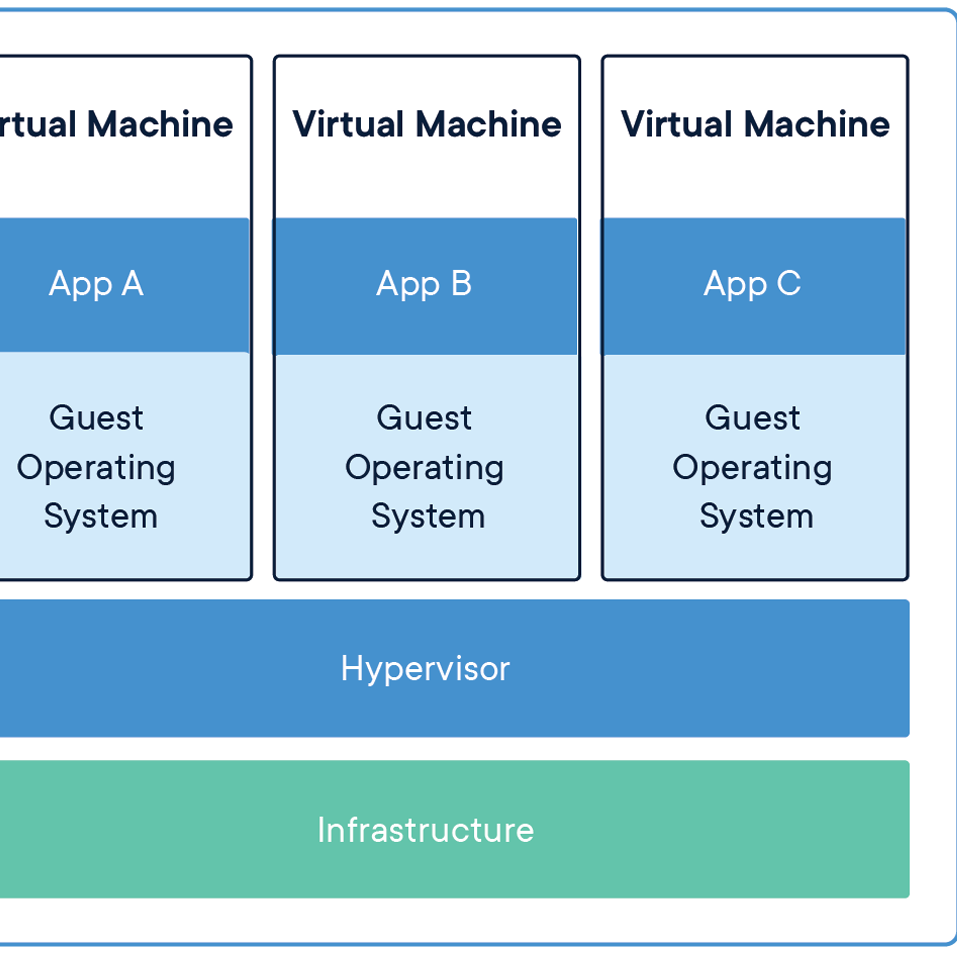
Installer une virtualisation applicative sur une machine (objectif: spécification, avoir un environnement de développement, contrainte matériel et OS à contourner)
Debugguer un script
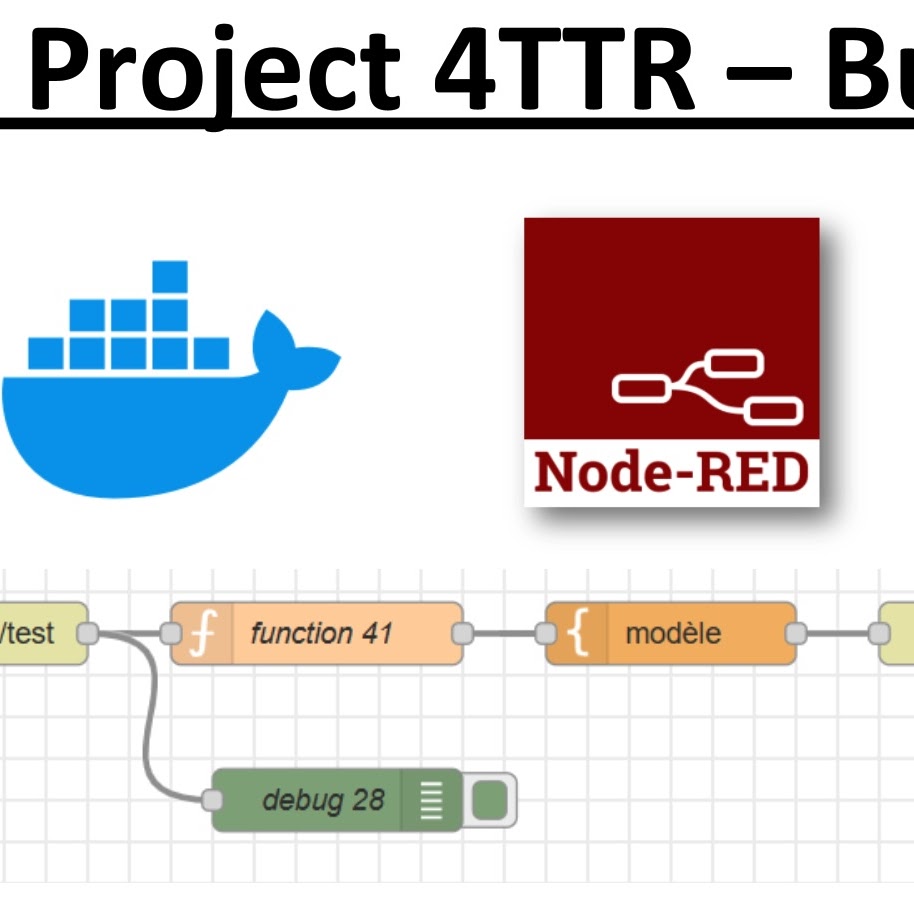
Après le déploiment de nodered, corriger les bugs et vérifier que l’app fonctionne
Analyser, comprendre le résultat recherché et définir son environnement de travail sont les premières étapes pour pouvoir développer une application.
Les développeurs sont sans arrêt confronté à des éléments qu’ils doivent apprendre rapidement pour évaluer des solutions et ensuite les implémenter. Ne pas connaître, s’adapter à l’inconnu est donc une attitude normale pour un développeur.